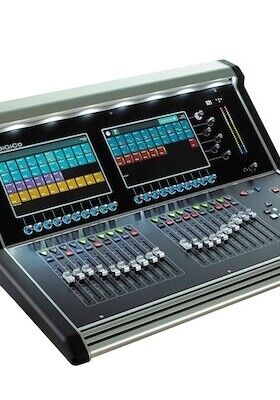

DiGiCo is launching the new S-Series V3.1 software update, which is immediately available and free of charge from the DiGiCo website.
When DiGiCo first introduced its S-Series mixing console, the S21, 10 years ago, it was quickly applauded for its sound quality and compact design. Since then, the dual-screen S21 and its larger three-screen sibling, the S31, have proven to be ideal for many applications, from nightclubs and theatres to churches, schools, and performing arts centres.
“Many of our Quantum and SD-Range customers are very familiar with the incredible longevity that they can get out of their consoles thanks to our R&D team’s downloadable updates,” said DiGiCo managing director Austin Freshwater. “But that same level of ROI is just as accessible to our S-Series user base, some of whom are now crossing a decade with their desks, and still getting new features and functionalities with our very latest software enhancements.”
Chief among V3.1’s new amenities is that it allows the S21 and S31 to each fully support DiGiCo’s latest MADI-based stage rack, the MQ-Rack. This unit features 48 high-quality microphone inputs and 24 line outputs, with four of these outputs switchable to AES/EBU digital outputs, at 48 or 96 kHz sampling rates via MADI over BNC connection.
With V3.1, DiGiCo now offers User Layouts, allowing multiple operators to have their own favourite way of laying out the console easily accessible – or the ability to change layouts for different bands as a show progresses, containing only the channels needed for that band. Users can easily change between layouts with a single press of the touchscreen, and the user menu can also be opened from a macro. Loading a new user will not interrupt audio, unlike loading a session, and can be done mid-show.